A digital photo frame that is also your family calendar
When the day is quiet, the FamPad iPad turns into a photo frame, with the clock, the weather and what is next on the calendar. It runs on an iPad you already own, so there is no separate frame to buy. It is free to use, with no ads.
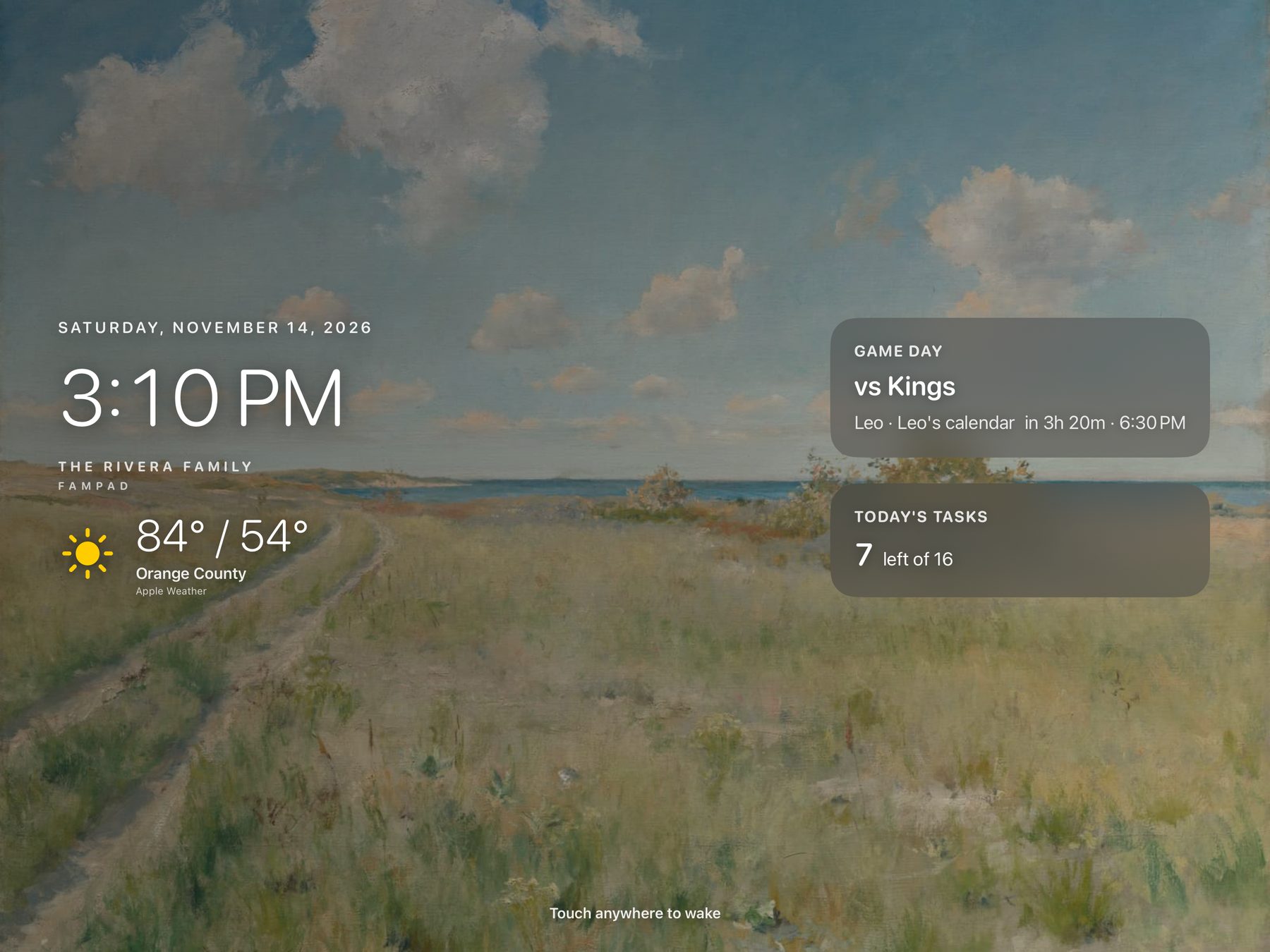
How the photo frame works
Add photos from your iPhone or the website, and they play on the wall iPad when nobody is using the calendar. Touch the screen and the calendar is back. You can also show photos in an optional tile on the calendar, or browse them on a Photos tab.
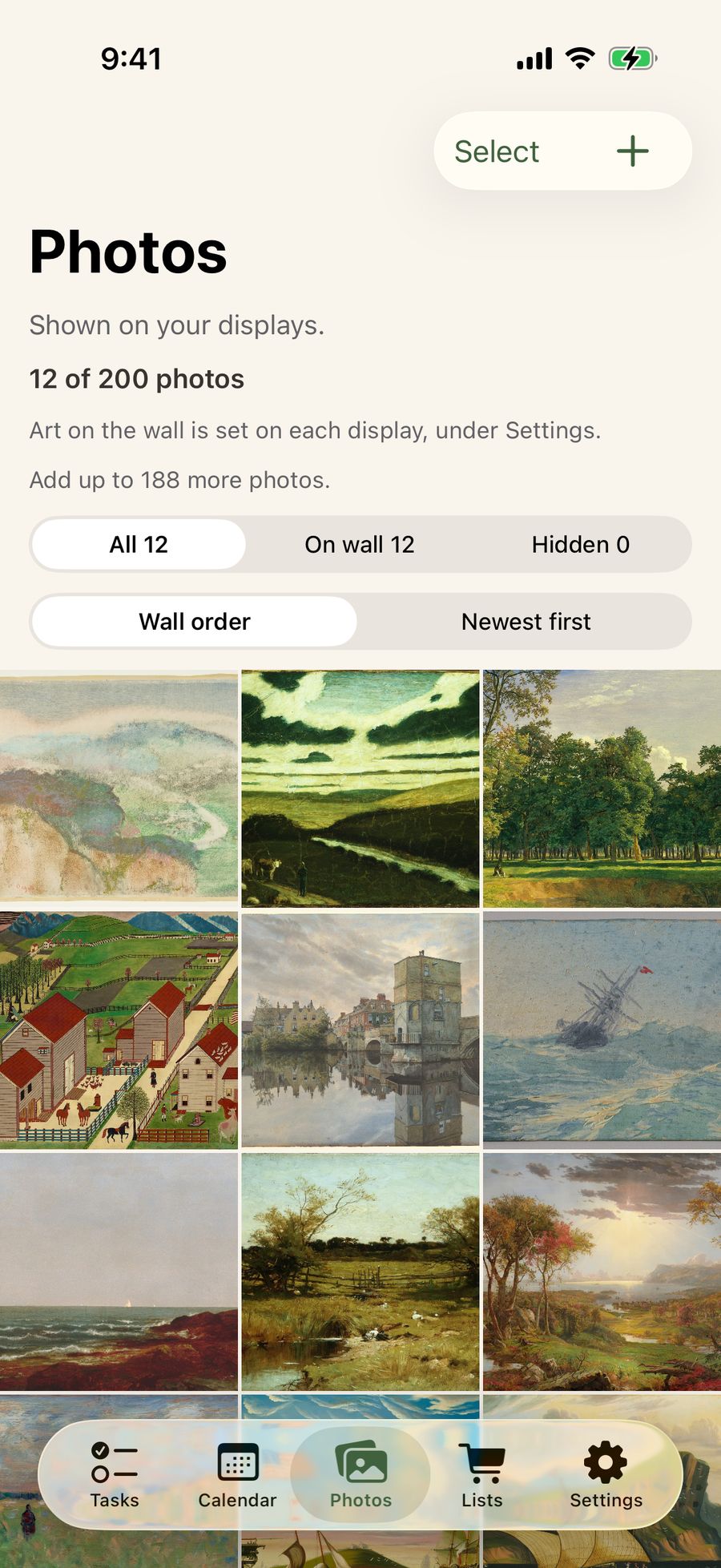
Controls
- Up to 200 photos per household
- Shuffle them, or keep them in order
- Choose how long each photo stays up
- Fill the screen, or fit the whole photo
- Hide, filter and reorder photos, and swipe to browse
- The screen dims at night, and on iPad it can open straight to the photos
What shows over the photos
A quiet overlay shows the date and time and the weather from Apple Weather, which you can switch off. It can also show the next thing on the calendar and how many of today's tasks are left. If you add a sports team schedule, the photo screen shows a Game day card and counts down to it.
Party mode for when friends come over
One tap turns the wall into a calm photo screen for a set time, then the calendar returns by itself. Start it from your phone, the web or the iPad, or schedule it for a weekly window like Friday evenings. Show your photos, art only, or all wall photos, add a holiday theme, and choose which displays join. It hides family details on the wall; it does not lock them, because anyone with the family account can still see them.
Your photos stay in your household
Photos are visible only to your household. There are no ads and no advertising trackers, and you can export or delete your data at any time in Settings.
Set it up
- Install FamPad on an iPad running iPadOS 18 or later, and create your household.
- Open Photos in the iPhone app and add pictures.
- Turn on the photo screen in the tablet display settings.
- Put the iPad where the family passes it. The iPad wall setup guide covers mounting and power.
The photo frame sits alongside the family calendar, chore chart, lists and meal plan, so one iPad does the whole job.
What it does not do yet
- The photo frame needs the iPad app. Older tablets and Android tablets using the web app show the calendar, chores and lists, not photos.
- It is an app, not a device. You need an iPad running iPadOS 18 or later.
- The limit is 200 photos per household.
Frequently asked questions
Is the FamPad photo frame free?
Yes. FamPad is free to use, with no ads, and the photo frame is part of the iPad app.
Do I need to buy a digital photo frame?
No. FamPad uses an iPad you already own. Photos play on the wall iPad when the day is quiet.
How many photos can I add?
Up to 200 photos per household. You can hide, filter and reorder them.
How do I add photos?
Add them from the iPhone app or the website. They appear on the wall iPad.
Who can see my photos?
Only your household. Photos are not shared with other households, and you can export or delete your data in Settings.
Does the photo frame work on an Android tablet or an old iPad?
No. The photo frame needs the FamPad iPad app on iPadOS 18 or later. Other tablets can use FamPad in a browser for the calendar, chores and lists.
Get the iOS app or start on the web.
Not ready to sign up? Look around the live demo, no account needed.